


Aiseesoft Creative Zen Video Converter for Mac 
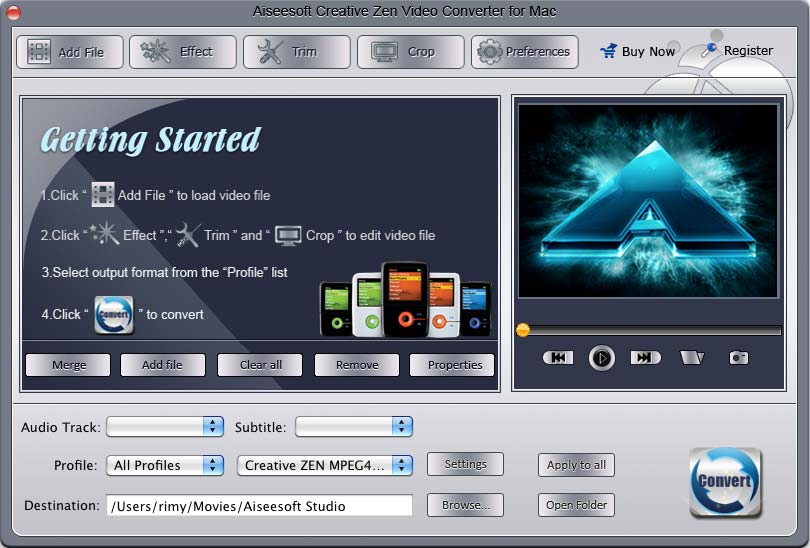
Aiseesoft Creative Zen Video Converter for Mac is able to convert almost all video formats to your Creative Zen on Mac. That is to say, this magic converter can convert MPG, MPEG, MPEG2, VOB, MP4, M4V, HD videos to Creative Zen MP4, AVI, MPG videos and extract audio from video to Zen MP3, M4A, WMA and WAV audio formats on Mac. You can edit your own videos as your style, such as, video cropping, movie trimming, watermark setting to get a personalized video.
- Convert all video and audio files to Zen with high quality
- Select subtitles and audio tracks
- Output different formats with only one conversion
- Preview and snapshot
Get Windows Version: Video Converter for Creative Zen
- Key Functions
- Screenshot
- Reference
- New Version
- FAQ
 Convert video/audio to Creative Zen on Mac
Aiseesoft Creative Zen Video Converter for Mac can convert videos such as MPG, MPEG, MPEG 2, VOB, MP4, M4V, TS, RM, RMVB, WMV, ASF, HD video, etc. to Creative Zen MPEG-4, H.264/MPEG-4 AVC, AVI video for Mac.
 Trim your videos
Creative Zen Video Converter for Mac allows you to clip any segment of your video through setting the start and end time.
 Output different formats at the same time
With this Creative Zen Video Converter for Mac, you can convert videos into different formats simultaneously.
 Preview
You can preview the effect of both the source file and converted video in the video editing window at the same time to see whether the effect fit your favor.
 Snapshot
Take a snapshot of your favorite pictures while you are previewing, then the images can be saved automatically.
 Adjust video effects
Creative Zen Video Converter for Mac allows you to adjust video effects: Brightness, Contrast, Saturation and Audio volume to optimize your output video effects.
 Set output video and audio parameters
This Creative Zen Video Converter for Mac allows you to set video and audio settings, such as Resolution, Video Bitrate, Frame Rate, Audio Channels, Sample Rate, etc.