



Aiseesoft iPad 2 Transfer
Aiseesoft iPad 2 Transfer, the most advanced and professional data transfer for iPad 2 users, offers you the best transferring experience. This software can protect your iPad 2 from losing data by helping you backup files to your PC. Convenient and easy to operate, it helps you manage your iPad 2 file with high efficiency.
- Import files from PC to iPad 2
- Export local files to iPad 2
- Convert incompatible video files to iPad 2
- Support the latest iOS 4.3
- Key Functions
- Screenshot
- Reference
- New Version
- FAQ
 Transfer files between iPad 2 and computer
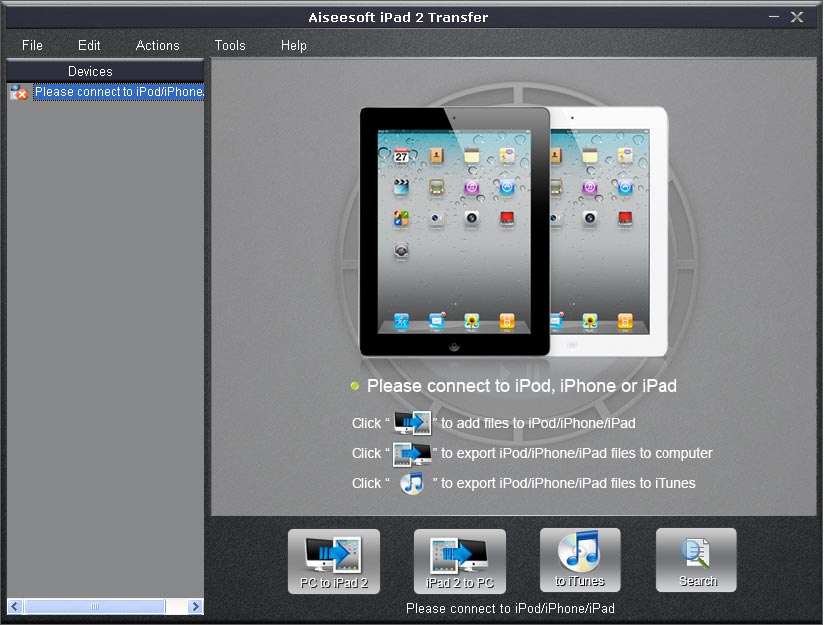
Use Aiseesoft iPad 2 Transfer to backup your important files to your PC by using the Import function, and restore backuped files from your PC by using the Export function.
 Show information about the connected iPad 2
This software can identify the information of the connected iPad 2 device, which includes picture, types, capacity, version number, serial number and format, and so on.
 File search
When there're so many files, it could be very hard to find a specific one. Aiseesoft iPad 2 Transfer grants you File Searcher function, which can help you find the files you need easily. You can also search your files in the categories of Genre, Artist and Album.
 Fast transferring speed
This software is built with an advanced inner core and can complete the transferring job within a few clicks.
 Quick Transfer
This software can transfer your files between iPad 2 and computer within second. Besides of iPad 2, this software also supports iPod, iPhone and iPad.
 Easy to use
The intuitive and user-friendly interface can help any user to use the software limitlessly.

- How to transfer Music from iPod to Computer
- How to put Video on iPod
- How to download Limewire Video to iPod
- How to watch iPod Video on Large screen TV
- How to Create ringtone for a iPhone
- How to transfer iPhone to iPhone, iPhone to PC, PC to iPhone
- How to transfer iPod to iPod, iPod to PC, PC to iPod
- iPod Converter Reviews: how to convert video for iPod, iPhone,iPhone ringtone