



Aiseesoft iPod Software Pack 
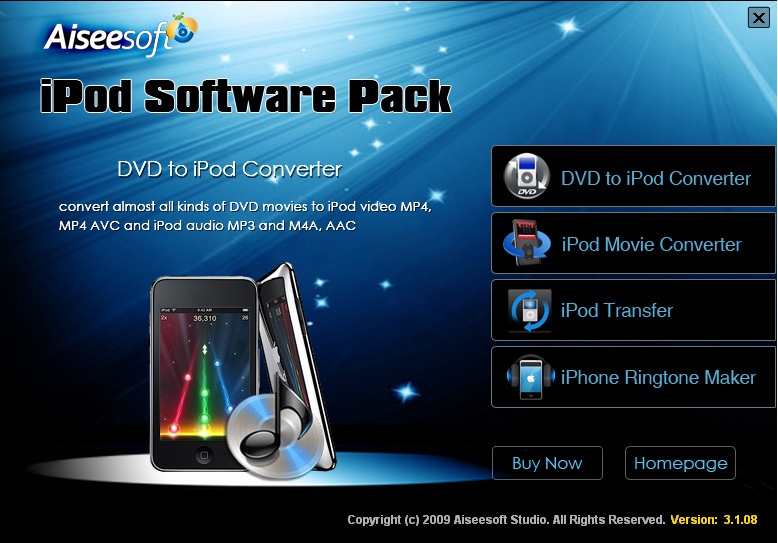
Aiseesoft iPod Software Pack combines iPod Movie Converter, iPod Transfer, and iPhone Ringtone Maker. Therefore, this iPod Software Pack assists you to convert any video to iPod supporting formats, transfer files between iPod and computer, as well as make iPhone ringtones easily. More specially, Aiseesoft iPod Software Pack makes it easy for you to convert all popular video/audio formats to iPod MP4, MP4 AVC and iPod audio MP3, M4A, AAC with the latest MPEG-4 video encoding technology.
- Convert video to iPod
- Edit video effect
- Transfer files between iPod and computer
- Create iPhone ringtone
Get Mac Version: iPod Software Pack for Mac
- Key Functions
- Screenshot
- Reference
- New Version
- FAQ
 Convert video to iPod
This iPod Software Pack enables users convert any video files to iPod compatible video and audio formats, such as MP4, MP4 AVC, MP3, M4A, AAC.
 Edit video effect
Users can trim video length, crop video aspect ratio, watermark video, merge videos together, and adjust video brightness, saturation and contrast.
 Transfer files between iPod and computer
You can conveniently transfer video, audio and photo files from iPod to computer for backup, and import local files to iPod.
 Create your own iPhone ringtone
You are able to make your own iPhone ringtone with any video and audio sources.
 Convenient operations
This iPod Software Pack provides users with user-friendly interface, which brings convenient operations.

- How to transfer Music from iPod to Computer
- How to put Video on iPod
- How to download Limewire Video to iPod
- How to warch iPod Video on Large screen TV
- How to Create ringtone for a iPhone
- How to transfer iPhone to iPhone, iPhone to PC, PC to iPhone
- How to transfer iPod to iPod, iPod to PC, PC to iPod
- iPod Converter Reviews: how to convert video for iPod, iPhone,iPhone ringtone